
Sunday, August 17, 2008
Chase Jarvis: Seattle Flickr Roundup Redux
Photographer Chase Jarvis treats Seattle's erupting underground photography scene to an evening where they get free access to a 30,000 sq foot studio, dozens of models, stylists, breakdance crews, action sports athletes, and more professional photography equipment than most amateurs have ever seen in a lifetime, let alone been able to use. This video grabs highlights from the event, including Chase's demonstration shoot with renown Fraggle Rock Crew.


Chase Jarvis: Hasselblad Masters
This is an uncut series of Chase Jarvis still photographs created in 5 days for personal work and for promoting the 2007 Hasselblad Masters. It is likely that only 6 to 10 of the 2000 images herein will ever have a commercial or fine-art life.
Chase Jarvis: Packing Photography Gear (Basic)
Award winning photographer Chase Jarvis shows us the ins and outs of how he packs his photo gear for shoots on locations around the world, as well as just down the street. Whether you're an established pro or and aspiring amateur, you'll pick up some great tips from Chase, including what gear he travels with, what bags/packs he uses, and how he navigates the airlines and freight companies with his photo equipment in tow.
Chase Jarvis: Photo Shoot In 180 Seconds
Watch as award-winning photographer Chase Jarvis spells out all the steps of a commercial photo shoot from concept and contracts to delivery of final images. Check out the tech specs of his equipment, lighting diagrams, and all the details you need to nail a shoot of your own.
Scott Kelby On Nikon D700

Excerpt:
Things I Really Liked:
* Besides the really obvious stuff (like High ISO and Full Frame, and the inclusion of a pop-up flash for triggering wireless flash), I really like how you access the memory cards -- there’s no annoying memory card door button to push first -- it’s just a simple slide of a panel (more like you have on some Canon models)...
* I like that you can use the same batteries as the D300...
What I Didn’t Like:
* I could only come up with one thing that I didn’t like about the D700, but to me, it’s pretty significant. I don’t like the feel of the shutter. To me, it feels soft and kind of mushy (compared to either the D3 or the D300)...
* There is one more issue, but it’s not a D700 issue; it’s a full-frame issue. The problem with the D700 is the same problem as with the D3; to really experience the full frame sensor advantage, you really have to have lenses that were made to take advantage of the full-frame sensor. If not, and you put DX format lenses on the D700, you get a 1.5x cropped image that’s only around 5 megapixels. If you have a lens like Nikon’s 70-200mm f/2.8 VR lens, then you’re in luck -- it works great with full frame, and doesn’t do the “DX Crop” thing. However, if you have the popular 18-200mm f/3.5 - f/5.6 VR lens, then your image will be cropped down to 5-megapixels. Hey, better you hear it from me, than learn it the hard way. I guess what I’m trying to tell you is this; you’re probably going to need more than just the D700 body. You’re probably going to need to buy a lens (or two) to make it worth your investment. If you shoot portraits, the incredibly crisp new 24-70 f/2.8 FX lens runs around $1,700. If you shoot landscapes, Nikon’s fabulous 14-24mm f/2.8 FX lens costs around $1,550. In short; you’re going to need the money you save from not buying a D3.
The Bottomline:
The D700 just takes a better looking photograph than the D300... The new sensor, the autofocus, the low noise -- it all adds up to photos that just beat the D300...
Then, who should buy a D700? It’s for anyone who wants to shoot handheld in low light (at higher ISOs than you would ever consider with a D300, like 6400 ISO). It’s for anyone who really wants the advantage of shooting with a 35mm-sized full-frame sensor, and it’s for anyone who just wants better looking images than they’re getting now with a D300 or lower...
Read Scott's complete review here.
Quarter Million Dollars Of Digital Photo Gear In A Single Photo
 Excerpt from gizmodo.com:
"...the Beijing Olympics: dozens of photographers firing the most expensive digital photography gear available on the planet at full speed... How much does this all cost?
"In this image alone I can count 23 cameras. I can see loads of Canon L-Series EF and Nikkor AF-S 500mm super telephoto lenses—each around $5,800 a pop, a few 400mm, 600mm, 700mm, 800mm here and there. Let's assume a conservative average of $6,000 per telephoto lense. That's $138,000 total just on lenses. Most of them are probably using the biggest and baddest Canon and Nikon cameras, so we can assume an average $5,000 price tag per camera, which brings the grand total to about a quarter of a million dollars.
"Now, there are 1,100 accredited photographers at the Beijing Olympics, which we can assume will have more than just one set of lenses and, at least, one secondary camera, just in case the first one breaks or they want to have two different set of lenses ready to shoot at any time. A good low-estimate per photographer would be $20,000 minimum, which brings the grand total to $22 million in professional digital photography equipment at the Olympics."
Monday, August 11, 2008

Moose Peterson: Nikon D3 Versus D700

Moose Peterson Writes:
"The D3 or the D700? Since both use the same sensor (as in exactly the same), it is a very good question.
"...the D700 isn’t really that much smaller than the D3. Attach the MB-D10, it’s the same height. The D3 weighs in at 3.16lbs and the D700 at 2.62lbs (battery included). So just going by size and weight, not a huge difference. The fps of the D3 is 8, the D700 is 5 and goes to 7-8 with the addition of the MB-D10 (depending on battery) so there is a little difference there. Stock D3 & D700 have the same buffer size but now with the buffer upgrade, the D3 doubles that of the D700 (and adding $500 to the cost). So looking at just the specs it’s real easy to see why folks are wondering which way to turn.
"That’s until you look at the price. Yeah, the D700 saves you bucks and in this day, that is an important factor. Do you loose something by spending less? You do lose the dual CF slot, you do loose the faster fps going with the D700 but you gain the sensor vibration which so many seem hooked on. You can read the Nikon DSLR comparison brochure or the D700 IB which might help with your decision making.
"My answer for most folks is, go with the D700 as dual CF and fps isn't mission critical for most photographers..."
Read complete article.
Sunday, August 10, 2008

Mini Multi-Battery Tester

Product Description: The ZTS Mini Multi-Battery Tester (Mini-MBT) provides a comprehensive means of testing more than 15 battery types. The Mini-MBT's microprocessor-based design makes battery testing simple -- using a patented, high accuracy pulse load test. After a fully automatic test cycle, percentage of remaining battery capacity is indicated on the LED bar display. Battery types are clearly labeled next to appropriate contacts. There are no settings, and test results are easy to understand. Its small size makes it ideal for the gadget bag, toolbox, or home utility drawer. Negative test lead/probe conveniently stores in seam at side. Tests 1.5v alkaline (AA, AAA, C, D, N), 1.2v NiMH/NiCd, 3v photo lithium, and 9v alkaline. Uses 4 AAA batteries (not included). Advantage of Pulse Load Technology. Battery performance is very important in today's electronic devices. The Mini-MBT computes the battery's actual remaining power capacity using a 2-second pulse load test. This pulse load simulates the real power demand that batteries experience in a high drain electronic device. So battery performance is measured, not just voltage. The load is automatically disconnected, so testing will not harm or drain the battery.
Read Ken Rockwell's Review (includes links to Adorama and Amazon for purchasing full-size and mini versions)
Beijing 2008 In Google Earth 3D
Take a virtual tour through Beijing as you follow the 2008 Summer Games.
Thursday, July 31, 2008

Lightroom 2 "Adjustment Brush" Tutorial
 What can the new "Adjustment Brush" do in Lightroom 2? Scott Kelby has a very helpful tutorial posted on the Adobe Photoshop Lightroom 2 Learning Center. Select "Scott K - Adjustment Brush" in the right hand column.
Adobe Photoshop Lightroom 2
 Lightroom 2.0 is finally available. An already amazing program is now even more amazing, especially with a new feature called "The Adjustment Brush"! You can find out more about this new version of Lightroom by visiting the links below:
Adobe Photoshop Lightroom Home Page
Adobe Photoshop Lightroom Learning Center
Adobe Photoshop Lightroom Killer Tips
Adobe Photoshop Lightroom 2.0 FAQ
Kelby Training: Adobe Photoshop Lightroom 2.0
Monday, July 28, 2008
National Geographic: Visions Of The Earth
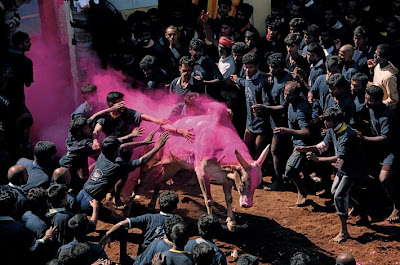
Here are a few photos currently featured in National Geographic's "Visions Of The Earth" gallery. Click here to see photo credits and a description for each of these fabulous photos.






Monday, July 21, 2008
Red Rock Crossing • Sedona, Arizona
 This is a photo I took today at Red Rock Crossing in Sedona, Arizona. The lighting was beautiful.
Thursday, July 17, 2008
Winning Photos: The Great Outdoors 2008


Click here to view all the winning photos from the Photo District News / National Geographic "Great Outdoors 2008" photo contest. Includes information about the photo, name of the photographer, and category it was entered in.
Tuesday, July 15, 2008


Nikon's "Small World" Photomicrography Gallery & Contest


 Nikon's "Small World" is regarded as the leading forum for showcasing the beauty and complexity of life as seen through the light microscope. For over 30 years, Nikon has rewarded the world's best photomicrographers who make critically important scientific contributions to life sciences, bio-research and materials science. Deadline for entries this year: April 30, 2009. Click here for more information.
Monday, July 14, 2008
Anti-Static Case For Bare Drives
 After purchasing WiebeTech's RTX200 to add to my backup system, I realized I needed a way to store the loose internal drives I planned to switch in and out of the RTX200. Turns out Wiebetech also sells a couple different protective cases. The one pictured above (which is the model I bought) sells for $5.95 each. Their "Anti-Static Drive Cases For Bare Drives" are located here. My earlier post on WiebeTech's RTX200 can be found here.


Thursday, July 10, 2008
Fantastic Backup Systems: WiebeTech RTX200

I recently added WiebeTech's RTX200 to my backup system, which now includes a first generation Drobo (with four internal 500 GB SATA drives), two 300 GB Seagate external drives, and one iOmega 500 GB drive. I've included the WiebeTech RTX200 to my backup system because I recently had THREE! -- yes, you read that right, THREE! -- LaCie external hard drives all fail in the course of one week! Or, to be more accurate, the LaCie housing failed. So I pulled the drives from the LaCie housing (two Seagate drives and one Samsung drive), and bought the WiebeTech system to house the old drives. The beauty of WiebeTech's system is that it allows you to hot swap drives. So instead of continuously buying new external drives, which consist of an internal drive encased in some kind of housing, you simply buy the internal drive and plug it into your WiebeTech bay whenever you need it. The particular WiebeTech box I bought is the RTX200H-QJ. It provides two docking bays and comes complete with FireWire 800, FireWire 400, USB2, eSATA connections.
Final note: When it comes to internal drives, I plan to stick with Digital Western, or Seagate, and avoid everything made by LaCie and Maxtor (which have both repeatedly failed me over the years).
Subscribe to:
Posts (Atom)

